
A sitemap is a file or a page that lists all the accessible URLs on a site. On a lifestyle blog, where the content covers a variety of themes such as beauty, cooking, decoration, or travel, this page serves as a navigation map. It allows users to locate a specific article without relying on the main menu or the internal search engine.
HTML Sitemap and XML Sitemap: Two Distinct Navigation Logics
The term “sitemap” encompasses two technical realities. The XML sitemap is a file intended for search engine bots. It lists the URLs along with metadata (modification date, update frequency) to facilitate the exploration and indexing of the site.
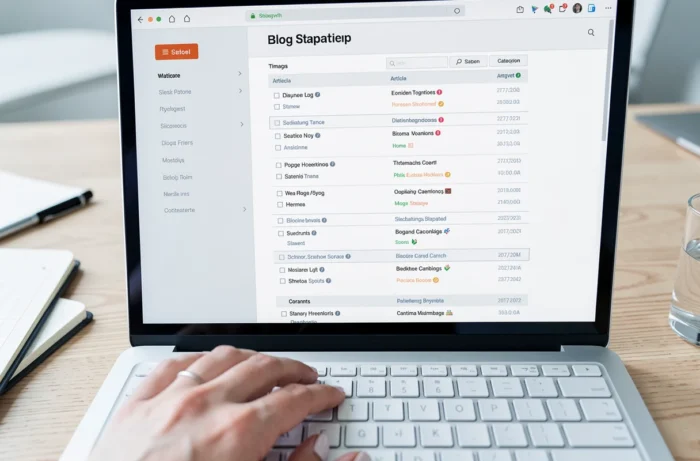
The HTML sitemap, on the other hand, is a web page accessible to any visitor. It presents the site’s links in a structured list format, with readable titles and anchors. It is this second version that directly interests the reader of a lifestyle blog.
The confusion between the two is common. An XML sitemap has no utility for a human: its raw content, marked up in XML, offers neither visual hierarchy nor editorial context. Consulting the sitemap page of Les Humeurs de Gloupsy Chérie illustrates the difference well, as this page organizes articles by understandable categories, with titles that guide the reading.
Why the Classic Menu Is Not Enough on a Lifestyle Blog
A lifestyle blog accumulates content over several years. Navigation menus display the main categories, sometimes a few subcategories, but rarely the entirety of published articles. When a blog covers fashion, recipes, home tips, and travel diaries, the menu becomes a funnel that only shows a fraction of what exists.

The internal search engine, often proposed as an alternative, poses another problem: it requires knowing what one is looking for. A reader discovering a blog for the first time does not yet know the topics covered. They cannot formulate a relevant query without having explored the catalog.
The HTML sitemap fills this gap. It functions like a complete table of contents, where each link leads to a specific piece of content. The visitor can scan all the topics in a few seconds, spot an article of interest, and access it directly.
The Case of Old Articles Buried in Archives
On most blogs, articles published several months ago disappear from the homepage and current navigation flows. They remain indexed by Google, but a visitor already on the site has no way to find them without digging into the monthly archives.
An HTML sitemap brings these contents back within reach. A travel guide published two years earlier, a seasonal recipe, a product comparison still relevant: everything reappears in a structured list. Old content regains internal visibility that it had lost.
Structuring an HTML Sitemap for a Multi-Theme Blog
An effective sitemap is not just a raw list of links. On a lifestyle blog, grouping by editorial categories is key. Datashake recommends structuring sections with titles (h2, h3) and avoiding an overly cluttered visual hierarchy. Here are the criteria that make a sitemap truly usable:
- Articles are grouped by reading intention (recipes, decor, travel, wellness) rather than by publication date, avoiding a chronological classification devoid of thematic meaning
- Each section has an explicit title, and the link anchors reflect the article title so that the reader knows exactly where they will land before clicking
- The page remains readable on mobile, with links spaced sufficiently apart to be activated by touch without click errors
A sitemap that merely lists hundreds of links without categorization becomes an unmanageable “link wall.” The goal is to allow the visitor to find content in less than three screen scrolls.
Accessibility and HTML Sitemap: A Recent Regulatory Issue
The HTML sitemap also plays a role in digital accessibility. A structured page with lists of links, explicit anchors, and sufficient contrast facilitates navigation for people using a screen reader or navigating via keyboard.
This point has gained importance since the implementation of the European Accessibility Act on June 28, 2025. This regulation particularly concerns e-commerce services, subscriptions, and booking services. A lifestyle blog that integrates an online shop or a subscription system may fall within its scope.
Technical compliance is based on the EN 301 549 standard and, in practice, on the WCAG 2.1 level AA criteria. A well-designed HTML sitemap directly contributes to this compliance by providing an alternative navigation path that is understandable by assistive technologies.
- Hierarchical titles (h2, h3) allow screen readers to navigate from section to section without going through each link
- Descriptive anchors (“Lemon Meringue Pie Recipe”) replace generic links (“Click here”) that convey no context-specific information
- Keyboard navigation must work without focus traps, with each link reachable by tabbing
Quality of URLs Over Sitemap Exhaustiveness
Listing all the pages of a blog in the sitemap is not always the best approach. Redundant tag pages, empty archive pages, or outdated articles clutter the list without providing value to the reader.
An effective sitemap filters content to keep only the truly useful pages. This requires regular maintenance: removing broken links, updating anchors when an article title changes, deleting entries to deactivated pages.
On an active lifestyle blog, this curation of the sitemap also reflects the editorial line. The content highlighted in the sitemap is what the blog claims as its reference catalog, not a mechanical accumulation of everything that has been published.
The HTML sitemap remains an underutilized tool on French-speaking blogs. Many sites simply do not offer one, leaving their readers dependent on the internal search engine alone. Integrating this page, structuring it by themes, and keeping it updated transforms a simple technical index into a true gateway to the entire blog.